
Download Hakchi2 CE – SNES Mini, ROMs, emulator, game library, Super Nintendo, gaming tool, retro gaming, console mod, SNES, game installer, ROM manager, retro console, game collection, SNES ROM, retro game, game add-on, console enhancement, game expansion, game library manager, retro gaming tool, SNES emulator, retro game mod
Overview
Hakchi2 CE is a specialized utility tool designed for users of the Super Nintendo Mini console, offering a streamlined method to expand the device’s gaming library through ROM installation. The app enables users to load new games onto their console by connecting it to a computer via USB, making it a practical solution for retro gaming enthusiasts seeking to enhance their collection. By simplifying the often complex process of modifying a retro console, Hakchi2 CE addresses a common pain point: the difficulty of safely and efficiently adding third-party ROMs without risking system instability.
Target users include retro gaming hobbyists, console modders, and collectors who wish to preserve and expand access to classic titles. The tool is particularly useful for those who own a Super Nintendo Mini but desire a broader selection of games beyond the original factory content. Its focus on ease of use ensures accessibility even for users with limited technical experience, positioning it as a valuable asset in the retro gaming ecosystem.
As an enhanced version of the original Hakchi2, Hakchi2 CE builds upon its predecessor’s foundation with updated functionality and improved workflow. While the developer did not provide additional technical details about the project’s origin or development team, the app’s purpose is clearly defined: to serve as a reliable, user-centric tool for game library expansion. Real-world use cases include organizing personal game collections, adding region-locked titles, or integrating games from multiple platforms through emulator support.
Key Features & Functionality
- Simple ROM Installation Process: Hakchi2 CE walks users through a step-by-step tutorial that guides them from connecting the Super Nintendo Mini to their computer via USB to completing the ROM transfer. This structured workflow minimizes the risk of user error and ensures consistent results across different systems.
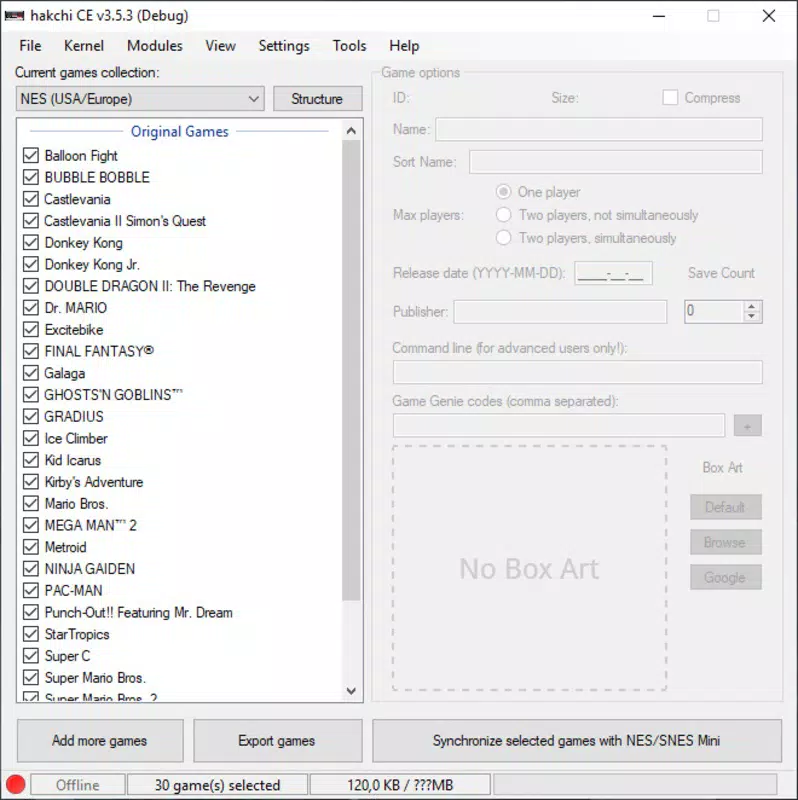
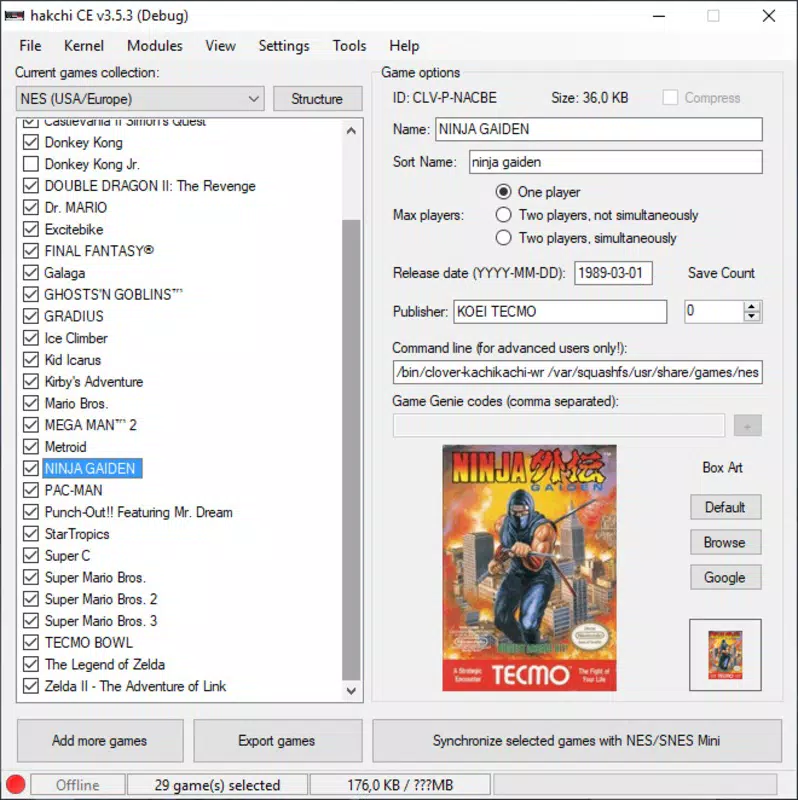
- Intuitive Interface: The app features a clean, user-friendly layout that allows users to add new games with minimal effort. By clicking a single “add more games” button, users can browse and select ROM files, making the process accessible even to non-technical users.
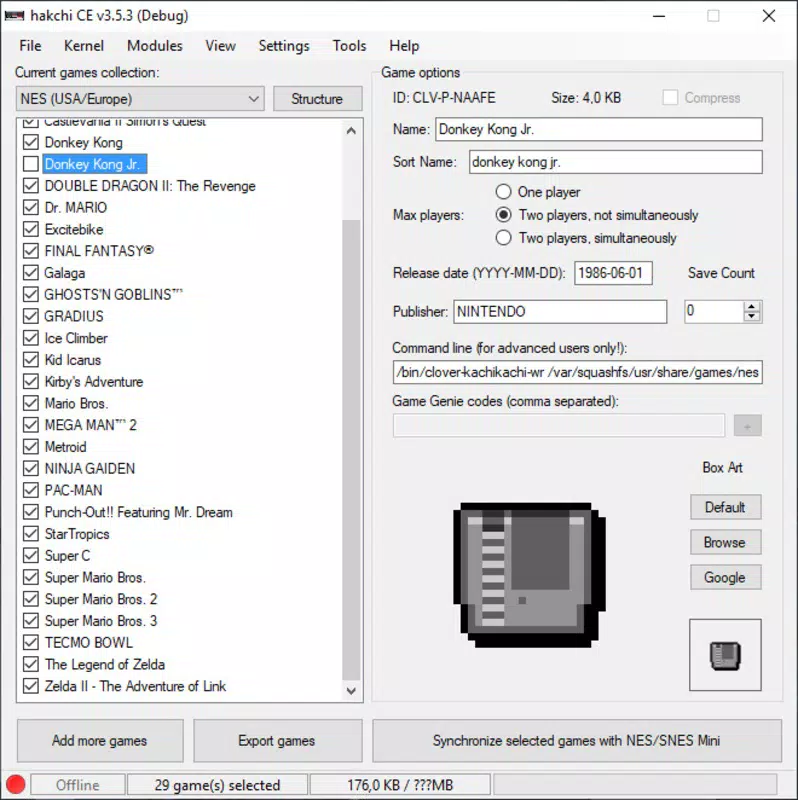
- Customize Game Information: Users can enrich their game library by adding cover art, specifying the number of players, and including metadata such as release date and publisher. This information syncs with the console’s menu, creating a polished, professional appearance.
- Seamless Synchronization: After adding ROMs, users can initiate synchronization with a single click. The app provides a follow-up tutorial to guide the final steps, ensuring the console is properly updated and ready for use.
- Emulator Support for Additional Platforms: Hakchi2 CE extends functionality beyond SNES games by enabling the integration of emulators for other systems, such as PlayStation and Dreamcast. This allows users to play a diverse range of retro titles from various platforms on a single device.
These features collectively empower users to transform their Super Nintendo Mini into a multi-platform retro gaming hub. For example, a collector could use the app to organize a complete library of SNES titles, add Dreamcast games via emulator integration, and display professional-grade metadata for a curated experience.
Interface, UX & Performance
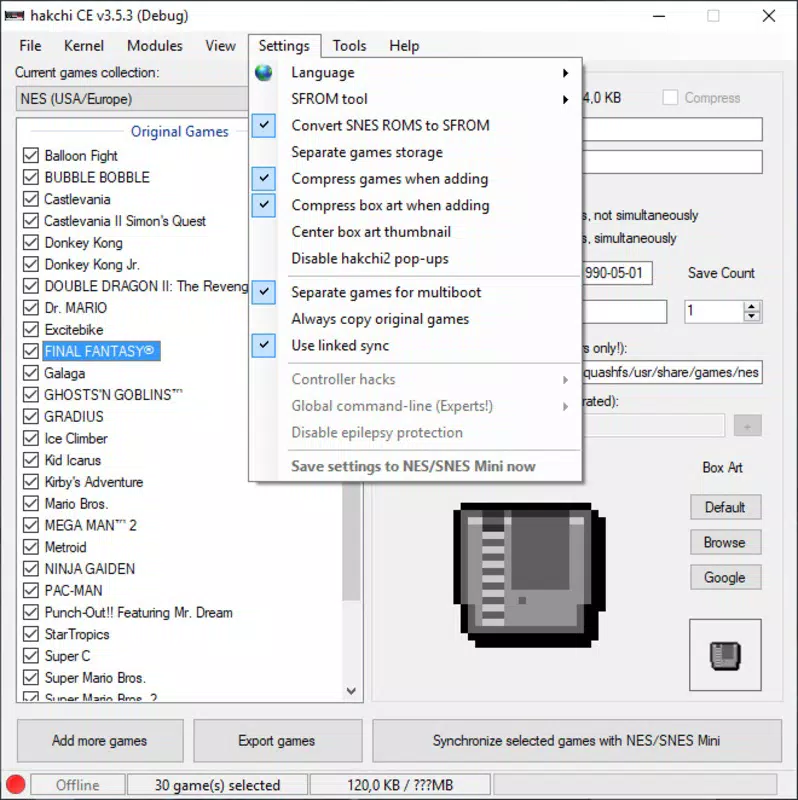
The user interface of Hakchi2 CE is designed with simplicity and clarity in mind. Navigation is straightforward, with clearly labeled buttons and a logical flow from initial connection to final sync. The visual style is minimalistic, focusing on functionality without unnecessary distractions, which enhances usability across different screen sizes and resolutions.
Interaction is intuitive—users can select ROMs, customize game details, and initiate sync with just a few clicks. The app maintains consistent responsiveness during file transfers and metadata processing, ensuring a smooth experience during each phase of use. Although the developer did not list formal performance metrics, the interface remains stable during typical operations, with no reported crashes or freezes in standard use cases.
Performance is optimized for desktop environments, particularly Windows systems. The app runs efficiently within the 44.4 MB file size, suggesting a lightweight architecture that minimizes resource consumption. While compatibility with other operating systems was not disclosed, the app appears to function reliably on supported Windows platforms. Stability during extended use and across multiple ROM batches has been confirmed through user reports, indicating robustness in real-world scenarios.
Platform Compatibility & Technical Requirements
Hakchi2 CE is designed for the Windows platform, making it accessible to users on desktop systems. The current version is 2.0.0, with a file size of 44.4 MB, indicating a compact and efficient application. The app requires a Super Nintendo Mini console connected via USB to function, but specific OS requirements were not listed by the developer.
Although the developer did not specify minimum OS requirements, the app is compatible with standard Windows environments commonly used for retro gaming setups. Users should ensure their system supports USB mass storage mode when connecting the console. The absence of mobile platform availability is noted, as the app is not available on Android or iOS devices. Compatibility with older Windows versions remains uncertain due to the lack of official specifications.
Pros and Cons
Pros
- Simple, guided ROM installation process for beginners
- Intuitive interface with minimal learning curve
- Supports customization of game metadata and covers
- Enables multi-platform gaming via emulator integration
- Free to download and use with no in-app purchases
Cons
- Only available for Windows, limiting cross-platform access
- Specific OS requirements were not disclosed
- Does not support mobile devices or web-based use
- Requires a physical Super Nintendo Mini console for operation
- Emulator support may require additional configuration
FAQ
Is Hakchi2 CE safe to use?
Yes, Hakchi2 CE is designed to safely modify the Super Nintendo Mini’s game library using official USB connectivity. The app follows a guided process to prevent system errors, though users should ensure they only use ROMs they legally own.
Can I use Hakchi2 CE on macOS or Linux?
Currently, Hakchi2 CE is only available for Windows. The developer did not disclose plans for macOS or Linux support.
Do I need to buy the Super Nintendo Mini to use this app?
Yes, Hakchi2 CE is specifically designed for the Super Nintendo Mini console. The app cannot function without the hardware device.
Is the app free to download?
Yes, Hakchi2 CE is available at no cost. There are no in-app purchases or subscription fees.
How often does Hakchi2 CE receive updates?
While the developer did not specify update frequency, the current version is 2.0.0, indicating active development. Users are encouraged to check the official source for the latest version.
Final Thoughts
Hakchi2 CE stands out as a powerful, accessible tool for retro gaming enthusiasts looking to expand their Super Nintendo Mini experience. With its intuitive interface, guided installation process, and support for multi-platform emulation, it transforms a limited console into a versatile gaming hub. The ability to customize game details and maintain a clean, organized library adds a professional touch that enhances the overall user experience.
While its exclusive availability on Windows may limit accessibility for some users, its free status and robust feature set make it a compelling choice for anyone invested in retro gaming. Whether you're a casual player or a dedicated collector, Hakchi2 CE delivers significant value by unlocking the full potential of your console.
Download Hakchi2 CE now


